
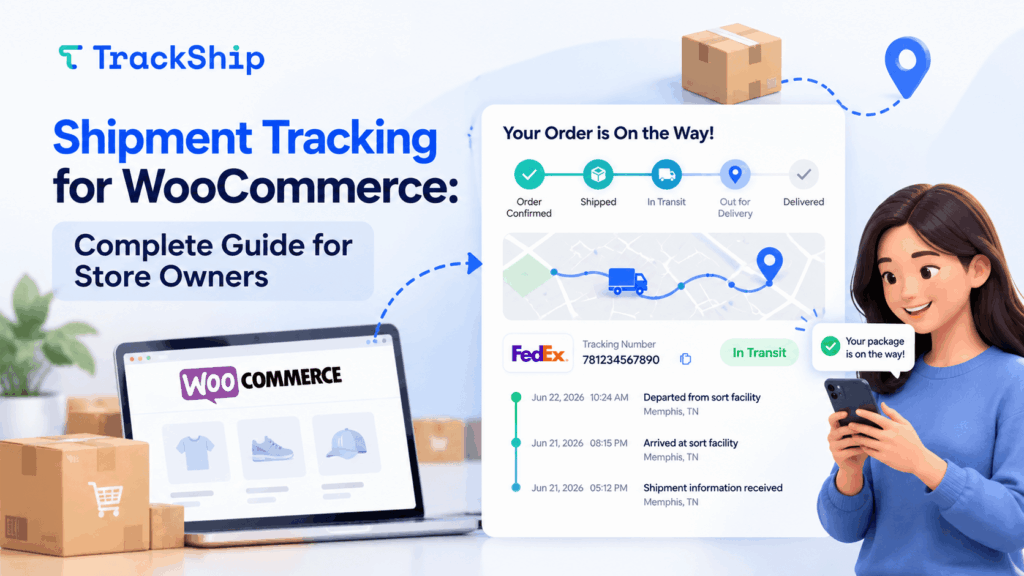
For WooCommerce customers, the experience doesn’t end at checkout. Once an order ships, they want to know: Where is my package, and when will it arrive?
That’s where shipment tracking for WooCommerce becomes essential. It keeps customers informed, reduces “Where is my order?” (WISMO) inquiries, and gives store owners better visibility into deliveries.
What Is Shipment Tracking for WooCommerce?
Shipment tracking for WooCommerce connects a customer’s order with its shipping carrier and tracking information.
It can provide details such as:
- Tracking number and carrier
- Current shipment status
- Tracking history
- Estimated delivery information
- Delivery confirmation
Instead of visiting different carrier websites, customers can follow their shipments directly from your store.
Order Status vs Shipment Status
WooCommerce order statuses and shipment statuses serve different purposes.
An order status tells you what is happening with the order, such as Processing, Completed, Cancelled, or Refunded.
A shipment status tells you what is happening with the actual package:
Pre-Transit → In Transit → Out for Delivery → Delivered
For example, an order may already be marked Completed in WooCommerce while its shipment is still In Transit.
Why Shipment Tracking Matters
A good tracking experience helps both your customers and your team.
Reduce WISMO Inquiries
Giving customers easy access to tracking information reduces repetitive “Where is my order?” support requests.
Improve the Post-Purchase Experience
Proactive shipment updates keep customers informed from dispatch through delivery.
Identify Delivery Issues
Tracking helps merchants spot delayed shipments, delivery exceptions, failed attempts, and other issues that may require attention.
Keep Customers on Your Store
A branded tracking page lets customers check their delivery without constantly being redirected to carrier websites.
How Shipment Tracking for WooCommerce Works
The process is straightforward:
- A customer places an order.
- The order is prepared and shipped.
- A carrier and tracking number are added to the order.
- The carrier provides tracking updates.
- The shipment moves through statuses such as In Transit, Out for Delivery, and Delivered.
- The customer receives updates and can follow the shipment.
For stores handling many orders, automating this process can save significant time.
Automate Shipment Tracking with TrackShip
TrackShip for WooCommerce helps automate the post-shipping experience and brings shipment information directly into your WooCommerce workflow.
With TrackShip, store owners can:
- Track shipments across multiple carriers
- Monitor shipment statuses from one dashboard
- Provide a branded tracking page
- Send shipment status email notifications
- Identify shipments requiring attention
- Analyze delivery and carrier performance
Instead of manually checking individual carrier websites, your team gets a centralized view of shipments from shipped to delivered.
Shipment Tracking Best Practices
For a better tracking experience, add tracking information as soon as an order ships and proactively notify customers about important delivery updates.
Pay particular attention to shipment exceptions and delays. Over time, shipment analytics can also help you understand transit times and carrier performance.
Most importantly, make tracking information easy for customers to find.
Give Customers a Better Post-Purchase Experience
Shipment tracking for WooCommerce isn’t just about showing a tracking number. It’s about giving customers visibility and confidence after they place an order.
With TrackShip for WooCommerce, you can automate shipment tracking, provide a branded tracking experience, send proactive delivery updates, and gain better visibility into your shipping performance.
Related Articles
How to Reduce WISMO and Improve the Post-Purchase Experience
“Where is my order?” It sounds like a simple customer question. But when your store…
Read Article →
Elevate Your Shipping Game: Tips for eCommerce Businesses
As an eCommerce business, keeping your promises for shipping to customers is crucial to building…
Read Article →
E-commerce Order Tracking: Why Tracking Orders is a Must
What is order tracking in eCommerce? Order tracking has become a basic expectation in today’s…
Read Article →