

WooCommerce
by TrackShip
TrackShip's AI engine seamlessly integrates with WooCommerce and adds a branded tracking experience to your store. Auto-track your shipped orders, take care of all customer touchpoints from shipping to delivery, and drive repeat purchases.
Everything You Need
Built specifically for WooCommerce stores
Auto-Track Shipments
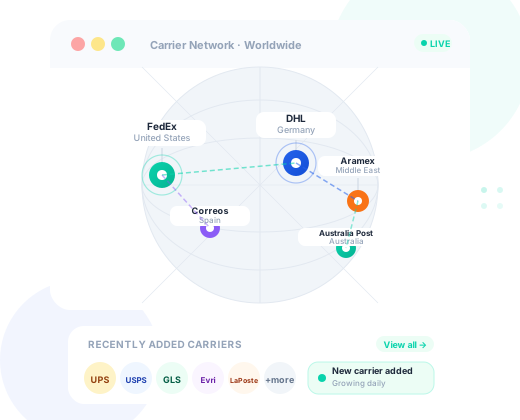
TrackShip's AI auto-detects tracking numbers added to your WooCommerce orders and monitors them across 1020+ carriers worldwide.
Branded Tracking Page
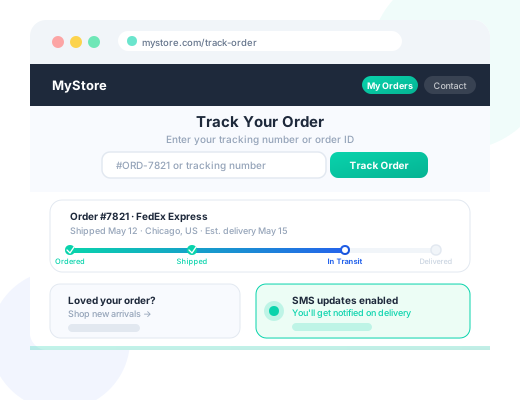
Keep customers on your WooCommerce store with a branded tracking page. Add upsells and discount codes to drive repeat purchases.
Shipping Notifications
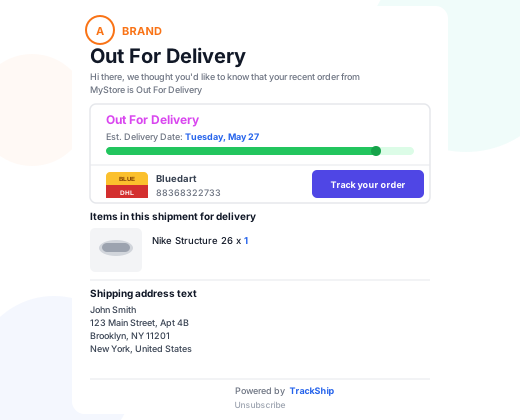
Send branded shipping emails and optional SMS from your store at every shipment milestone in transit, delivered, and more.
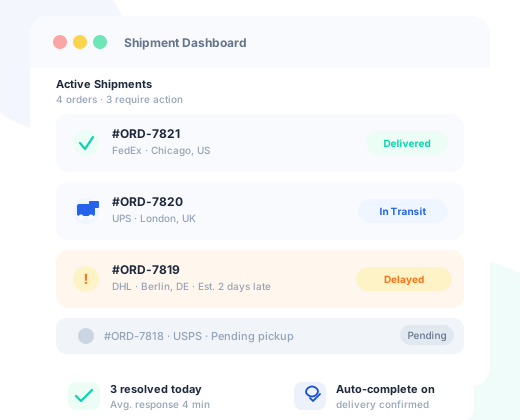
Post-Shipping Automation
Auto-complete orders on confirmed delivery, trigger marketing campaigns on delivery, and flag delayed shipments automatically.
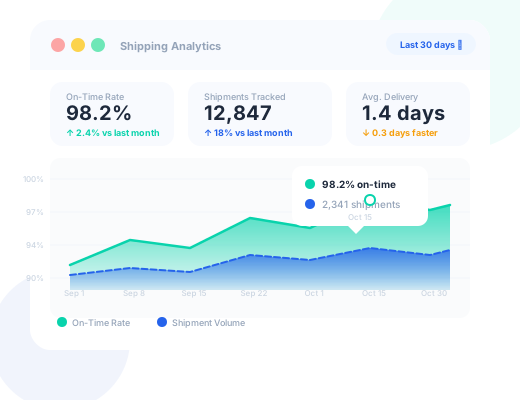
AI Shipment Analytics
Get AI-powered insights into on-time delivery rates, carrier performance, and exception trends directly from your WooCommerce dashboard.
WooCommerce Integration
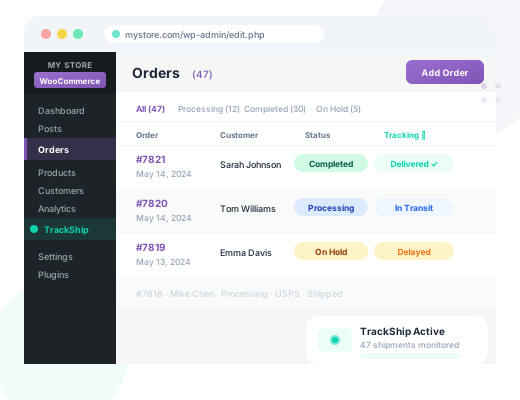
See live tracking status for every order directly inside your WooCommerce orders list, no switching to carrier websites required.
Branded Tracking Experience in Your WooCommerce Store
TrackShip's AI auto-tracks your orders from shipping to delivery with 1020+ shipping providers worldwide. After you fulfill an order, TrackShip auto-tracks the shipment and updates your store at every status change.
- Tracking status column added directly to your orders list
- Auto-update order status to "Completed" on delivery
- View full tracking history from inside the order detail page
- AI detects late and problematic shipments at a glance
Take Control of Your Post-Shipping Workflow
TrackShip updates your orders with any shipment status event and changes the order status to Delivered once the shipment arrives. Set up automated marketing campaigns based on the delivery data.
- Auto-complete orders on confirmed delivery
- Trigger follow-up emails and campaigns on delivery
- AI flags delayed and exception shipments automatically
- Reduce manual order management overhead
Keep Your Customers Happy and Informed
Give customers the confidence and transparency they deserve with automatic email and SMS updates based on shipment status - in transit, out for delivery, delivered, and more.
- Automatic email notifications at every shipment milestone
- SMS delivery updates (optional add-on)
- Customizable notification templates with your branding
- Reduce support tickets by up to 80%
Tracking Page on Your Store
Direct your customers to a detailed tracking page on your store instead of sending them to the carrier's website. Display shipping info, upsell offers, and turn buyers into repeat customers.
- Branded tracking page on your own store domain
- Real-time shipment status and full tracking timeline
- Upsell and cross-sell products on the tracking page
- Embed anywhere via shortcode or block widget
Analyze Shipping & Delivery Performance
Analyze shipping performance with AI-powered insights drawn from tracking data straight from your store. Use delivery statistics to report on progress and identify areas for improvement across every carrier.
- On-time delivery rate by carrier and date range
- Average delivery time and transit benchmarks
- AI-driven shipment exception and delay trend analysis
- Export reports for stakeholder review
How It Works
Get started in under 10 minutes
Install the Plugin
Download the free TrackShip plugin from WordPress.org and install it in your WooCommerce store in seconds.
Connect Your Account
Link your TrackShip account to your WooCommerce store. TrackShip immediately starts monitoring orders with tracking numbers.
Configure Settings
Customize your branded notification templates, tracking page appearance, and automation rules to match your store.
Go Live
TrackShip's AI automatically monitors all your orders from the moment tracking numbers are added. Sit back and let it work.